Influencer CRM: What to Track and the Best Options for Small Brands (2026)
An influencer CRM is where you keep everything about your relationship with each creator: who they are, how to reach them, what you sent, what they posted, and whether you would work with them again. For small brands the question is less "which CRM" than "how much of the gifting work should the CRM do for you".
This guide covers the fields an influencer CRM needs, how to build one yourself, and how the main types of tools compare for Shopify brands working with 30 to 500 creators.
Influencer CRM vs a sales CRM
A sales CRM like HubSpot or Salesforce is built around deals moving to "closed won". Influencer work doesn’t look like that. One creator can have many collaborations over a year, and each one is a small logistics job: pick a product and size, ship it, wait for delivery, check whether they posted, track sales from their code.
So an influencer CRM has to answer four questions a sales CRM doesn’t:
- What can I send them? Sizes, shade, skin type, allergies, current address.
- Where is it? Order created, shipped, delivered.
- Did they post? Links to the content, and whether it was disclosed.
- Was it worth it? Sales from their code, and a decision to reseed, pay or stop.
The 12 fields every influencer CRM needs
| Field | Why it matters |
|---|---|
| Handle and profile links | One creator often has Instagram, TikTok and YouTube; keep them together |
| Better than DMs for anything with details or terms | |
| Niche and tags | "vegan", "runner", "new mom": how you’ll pick creators for the next campaign |
| Audience size and engagement rate | Rough reach, and a check against inflated follower counts |
| Shipping address | The field that goes stale fastest; re-confirm it for every send |
| Sizes and preferences | Clothing size, shade, skin type, pet’s name: the details that make a gift feel personal |
| Status | Prospect, contacted, claimed, shipped, delivered, posted |
| Last contact date | Stops you double-messaging or forgetting to follow up |
| Products sent | Avoids sending the same thing twice, and gives you cost per creator |
| Posts delivered | Links to the actual content, with dates |
| Discount code and sales | The only direct revenue signal most small programs have |
| Work-again decision | Reseed, watch, move to paid, or stop, with a note on why |
If you track nothing else, track the last four. Most programs keep good records of who they contacted and poor records of who actually delivered, which is the half that decides next quarter’s list.
How to build an influencer CRM (spreadsheet or Airtable)
A DIY influencer CRM is fine for your first 20 to 30 creators. Set it up with two tables, not one:
- Creators: one row per person, with the profile fields above (handle, email, tags, sizes, address).
- Collaborations: one row per send, linked to the creator: campaign, product, order number, ship date, delivery date, post link, code, sales.
- Views: "needs follow-up" (contacted more than five days ago, no reply), "in transit", and "delivered, no post yet".
- A review column: after each campaign, mark every creator reseed / watch / paid / stop.
Keeping collaborations in their own table is what makes the history useful: you can see that a creator posted three times out of four sends, instead of overwriting one status cell each campaign. Our free influencer tracking spreadsheet is already laid out this way, with a creator tab, a shipment tracker, a content log and a summary.
Airtable is the natural upgrade: linked records replace VLOOKUPs and simple automations can post reminders. Notion works for notes and context but has little automation.
When a DIY CRM breaks
It usually happens around 30 active creators, or as soon as two people share the sheet:
- Addresses and sizes go stale. They were collected in DMs months ago and nobody re-checked.
- Orders are created by hand. Someone copies each address into a Shopify draft order, and sooner or later one ships twice or not at all.
- Status is always out of date. Shipping and delivery live in Shopify, not in the sheet.
- Posts get missed. Checking 40 profiles by hand for tags doesn’t happen every week.
- Conversations are scattered across one person’s inbox and another’s Instagram DMs.
None of this is a CRM problem as such. It’s the gifting workflow leaking into the CRM. That’s the main thing to decide when you pick a tool.
Influencer CRM options compared
| Option | Best for | Cost | Main gap |
|---|---|---|---|
| Spreadsheet | First 20–30 creators | Free | Everything is manual; breaks with a team |
| Airtable / Notion | Small teams who like to build | Free plans; paid per seat | No Shopify orders, tracking or post detection |
| Sales CRM (HubSpot, Salesforce) | Brands already running on one | Varies | No concept of gifts, sizes, shipments or posts |
| All-in-one platform (GRIN, Upfluence, Aspire) | Larger teams running paid, affiliate and gifting | GRIN $200–1,500/month in credits; Upfluence typically $15,000+/year; Aspire quote-based | Cost and setup for a small program |
| Shopify seeding app (Seeding Ops) | Brands whose program is mostly gifting | Free plan; paid from $49/month | No large creator marketplace |
All-in-one influencer platforms
GRIN, Upfluence and Aspire each include a creator CRM alongside discovery, contracts, payments and reporting. If you have a dedicated influencer team and run paid and affiliate programs alongside gifting, that breadth is the point. For a brand sending 20 to 100 gifts a month, most of it goes unused. Our comparisons of GRIN, Upfluence and Aspire cover where each fits.
Seeding Ops: a CRM built around the gift
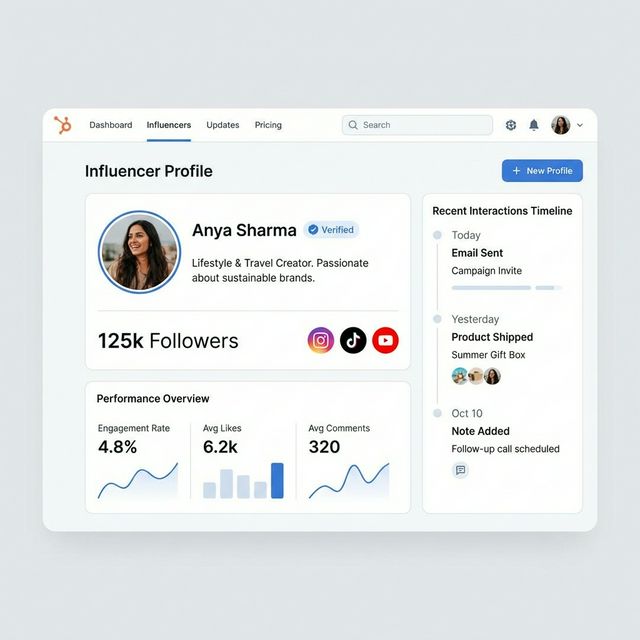
Seeding Ops is a Shopify app where the CRM and the gifting workflow are the same thing. Each creator record holds handles across platforms, contact details, tags, sizes and preferences, notes, and every collaboration you’ve run with them. The status moves on its own:
- The creator opens a claim link, picks a product and variant, enters their address and accepts your terms.
- That becomes a $0 Shopify order, tagged as a gift, with no copy-pasting.
- Shipping and delivery come back from Shopify fulfillment, and timed emails (Starter and up) handle reminders and follow-ups.
- Email replies land in a shared inbox, threaded per creator.
- Optional per-creator discount codes attribute paid orders back to the creator.
- After each campaign you mark each creator reseed, watch, paid candidate or stop, so next quarter’s list is already made.
You can import an existing spreadsheet by CSV. The Free plan covers 250 creators and 5 gift orders a month; Starter is $49/month for 1,000 creators and 100 gift orders. See pricing.
Relationships, not rows
Whatever you use, the part of a CRM that pays off is the human detail: that she just moved, that his dog is called Max, that they loved the green one. Those notes are what turn a one-off gift into a creator who posts every launch.
Related guides
- Best product seeding software for Shopify: tools compared by what they actually do
- How to choose influencers for seeding: who belongs in the CRM in the first place
- Influencer outreach email and DM templates: the first message
- Influencer tracking spreadsheet: the free DIY version
Frequently asked questions
What is an influencer CRM?
An influencer CRM is a system for managing relationships with creators: who they are, how to reach them, what you have sent them, what they posted and whether to work with them again. It differs from a sales CRM because the unit of work is a collaboration (gift, post, code, payment), not a deal.
Can I use HubSpot or Salesforce as an influencer CRM?
You can, but you will rebuild most of it yourself: custom objects for campaigns and posts, a pipeline for gifting stages, and a manual way to get shipping and order data out of your store. Sales CRMs do not know what a gift order, a size, a tracking number or a creator discount code is.
How do I build an influencer CRM for free?
Start with a spreadsheet or an Airtable base with one row per creator and one row per collaboration. Track handle, contact, niche, audience size, shipping address, sizes, status, last contact date, products sent, posts delivered, discount code and a work-again decision. It works well up to about 30 active creators.
When should a small brand move off a spreadsheet?
Usually around 30 active creators or when more than one person runs the program. That is when addresses go stale, gift orders get created twice, follow-ups are missed and nobody can say which creators actually posted.
What is the best influencer CRM for a Shopify brand?
It depends on the job. For finding new creators, a discovery database is the main tool. For a large team running paid, affiliate and gifting programs together, an all-in-one platform like GRIN, Upfluence or Aspire fits. For brands whose program is mostly gifting, a Shopify-native seeding app such as Seeding Ops keeps the CRM, gift orders, tracking and discount-code attribution in one place for a fraction of the cost.
Related resources
Run your next seeding batch without the spreadsheet.
Claim links, $0 Shopify gift orders, tracking, follow-ups and code-level attribution — in one pipeline.